A carpenter's website
that gets
the phone ringing.
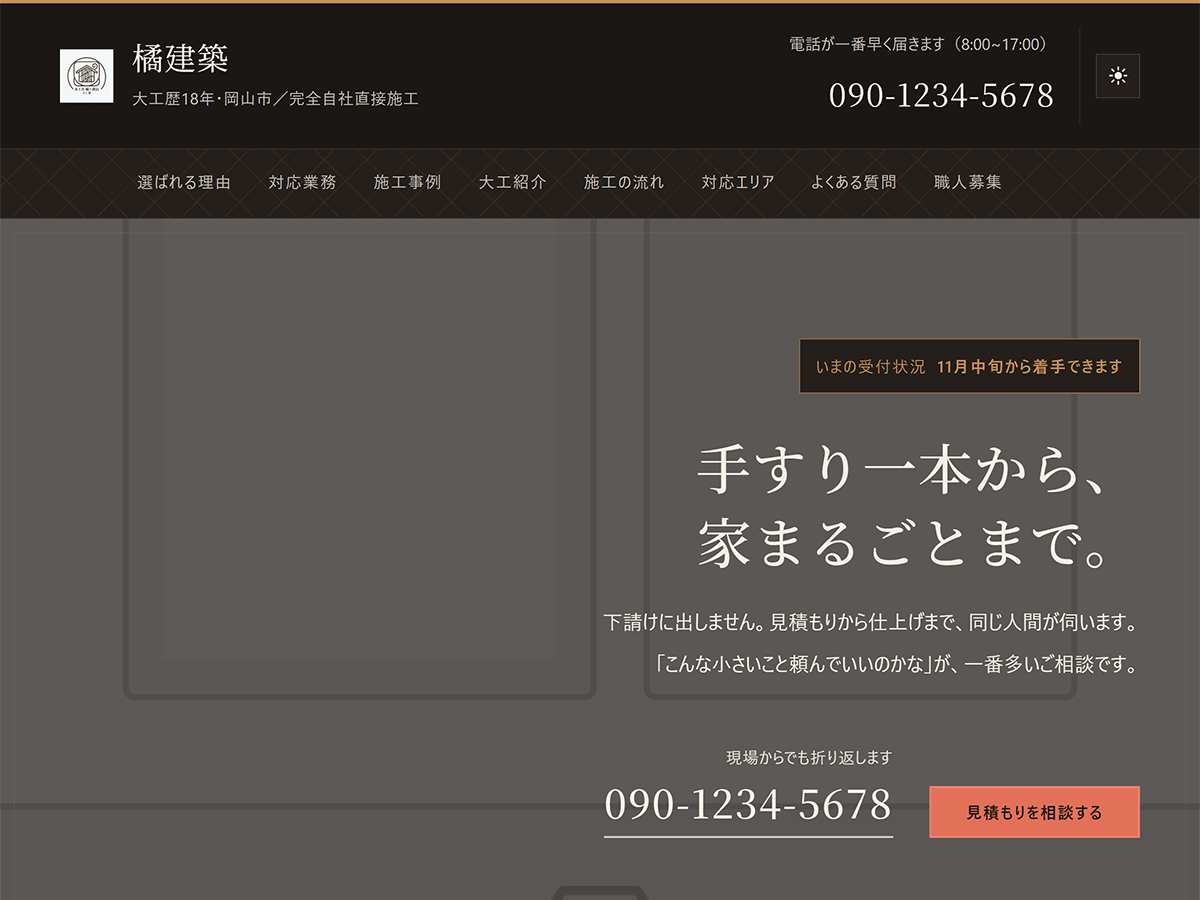
Genva Carpenter is for independent carpenters and small workshops who take jobs directly from homeowners. It puts "when can you start?" at the very top, and the phone number is one tap away on every screen.
¥12,800Sales run from time to time

Why
What a carpenter's site needs
is a phone that rings
A good-looking site is no use if the phone stays quiet. Three things are built in from the start, shaped around how carpenters actually work.
-
Once on site, you're booked for weeks
The front page opens with your current availability — when you can start the next job. Visitors know whether you can take the work before they call.
-
People hold back on small jobs
The headline and the services section make it clear that fitting a single handrail is as welcome as renovating a whole house.
-
Far-off jobs can't be reached right away
The service area is split into "we can come right away" and "ask us first", so you can be honest about how far you travel.
Features
What's included
No extra plugins needed. Activate the theme and everything below works as is.
-
PHONE
Your number, everywhere
The phone number sits in the header, on the front page, and in the footer. On phones, a call bar stays fixed at the bottom of the screen — one tap to dial.
-
SHOP INFO
Shop details in one place
Enter your phone number, business hours, and address under Appearance > Shop Details, and every place they appear — from the header to the call bar — updates at once.
-
WORKS
Projects list themselves
Publish a post in the "Our Work" category and the four newest appear on the front page. The area comes from a sub-category; build time and wood type come from tags.
-
TEMPLATE
A starter layout for project posts
Open a new post and pick "Post: Our Work". Fill in the table — location, build time, wood used, cost guide — then the request and what you did.
-
ARCHIVE
A page for all your projects
Every project appears in the same cards as the front page, reached from the "See all our work" link below the front-page section.
-
DARK MODE
Dark mode toggle
A button at the right end of the header switches between light and dark. The choice is saved in the visitor's browser.
Front Page
Ten sections
on the front page, ready
The moment you activate the theme, every section a carpenter's site needs is in place. Swap in your own words and photos, and it's done.
A dark-walnut palette with Japanese patterns — hemp leaf, seven treasures, basket weave — and kumiko lattice crests.
- HeroHeadline, current availability, phone number
- Why Choose UsNo middleman markup, the same person from quote to finish, and more
- ServicesFrom small repairs to large jobs, on patterned cards
- Our WorkThe four newest projects, pulled from posts
- The CarpenterPhoto, years in the trade, a few words
- How It WorksFrom the first call to handover
- Service Area"Right away" and "ask us first", in two tiers
- FAQDuplicate a card to add a question
- Join UsA way in for partner trades and apprentices
- ContactPhone number and business hours, large
Mobile & Dark
On a phone, or after dark
A call bar that's always there
Most customers find you on their phone. However far they scroll, the call bar at the bottom of the screen lets them dial straight away.
The hero can also play a background video. It plays only on screens 800px and wider, for visitors who haven't asked for reduced motion; everyone else sees the photo.
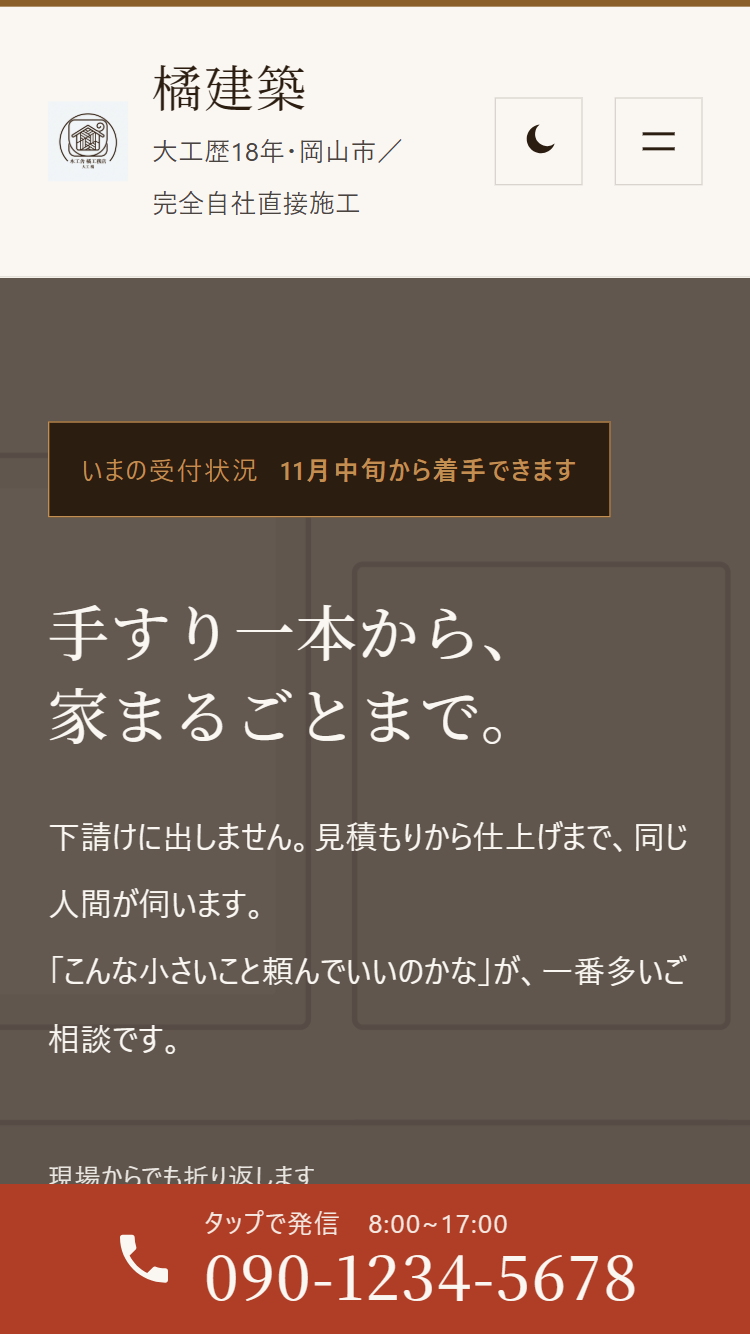
Dark mode keeps the wood tones
The dark palette keeps the vermilion and timber colours. Every text and background pair was measured to reach a contrast ratio of at least 4.5:1.
Even the smallest label is 12px or larger.
Projects on staggered cards
Photos are 4:3. The area sits on top of each photo, like "Our Work, Okayama Kita", and tags such as "7 days" or "Yoshino cypress" line up underneath.
Write a project by following the sample
Choose "Post: Our Work" for a new post, and the content fills with a table for location, build time, wood used, and cost guide, plus headings for the request and the work done.
Set the finished photo as the featured image. Rows you leave empty in the table are hidden on the published page — to leave out the price, just leave the cost guide blank.
Setup
Set it up in this order
Everything happens inside the WordPress dashboard. No code required.
-
Activate the theme
Upload the zip under Appearance > Themes and activate it.
-
Set your business name and logo
Your business name is the Site Title; the line below it (for example, "18 years in the trade · Okayama") is the Tagline.
-
Enter your shop details
Enter your phone number, business hours, and address in one place, and the whole site updates.
-
Update your availability
Change it whenever your schedule moves — for example, "Can start from mid-November".
-
Create the project categories
Create "Our Work" with the slug
works, then add each area as its sub-category. -
Write projects and replace photos
Write your projects with the sample layout, and swap the placeholder images in the hero and The Carpenter for real photos.
Step-by-step instructions are in the documentation (Japanese).
Spec
Requirements
No requests go to outside font services. The heading typeface is bundled with the theme.
| Theme type | Block theme (full site editing) |
|---|---|
| WordPress | 6.7 or later (tested up to 7.1) |
| PHP | 7.4 or later |
| Required plugins | None |
| Languages | English (source) and Japanese (ja.po / ja.mo). Translation-ready with a bundled .pot |
| Updates | From the WordPress dashboard |
| License | GNU General Public License v3.0 or later |
| Version | 1.0 |
FAQ
Frequently asked questions
Are the photos from the demo site included?
No. The photos on the demo site and in the screenshots are AI-generated images. The theme ships with grey placeholder images (SVG) for you to replace with photos of your own work.
Is there a contact form?
No. The theme is built around taking calls. If you want a form, add the block from the form plugin you use to a page.
Blog posts are showing up in Our Work
Without a category whose slug is works, the section lists every post, newest first. Create the "Our Work" category with the slug works.
Does dark mode follow the computer's setting?
No. Visitors choose it with the button at the right end of the header. The choice is saved in their browser and used again on their next visit.
Will a theme update erase my edits?
No. Edits made in the Site Editor are stored in the database, so updating the theme doesn't remove them. However, a template you've saved no longer picks up changes from the theme. To go back to the theme's version, reset that template in the Site Editor.
Price
Genva Carpenter
¥12,800
Sales run from time to time. Check the product page for the current price.
- Ten front-page sections
- A sample layout for project posts, and a projects page
- Shop details in one place, and a call bar on phones
- Dark mode toggle
- Updates from the WordPress dashboard